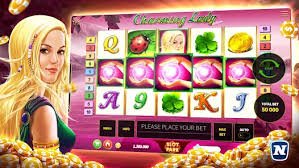
Mobile App

Download the g0ldsbet App — The best betting experience on Android and iOS

Download the official g0ldsbet mobile app and enjoy live betting, casino, slots games, and more from anywhere — all in just a few megabytes.

15 MB
App Size
Android 6+
Minimum Version
iOS 13+
Minimum Version
Free
Completely Free

g0ldsbet

On which device Download want to?

The g0ldsbet app is available on both Android and iOS. You can also play directly in your browser.

Android App
Download and install the g0ldsbet APK directly. Easy to install without Google Play.
Minimum Android: 6.0 Marshmallow
File Size: 15 MB
Latest Version: v4.2.1
Internet: 3G / 4G / Wi-Fi
Virus Scan: Safe & Tested
iOS App (iPhone/iPad)
iPhone and iPad users can open g0ldsbet in Safari and add it to the Home Screen for a full app-like experience.
Minimum iOS: 13.0
Compatible: iPhone 8 and above
iPad: Fully Supported
Method: PWA / Mobile Browser
Performance: Native App Equivalent
Play directly in your mobile browser
No app needed — enjoy the full g0ldsbet experience in Chrome, Firefox, Samsung Internet, or Safari. Lower data usage, great performance.

G0ldsbet App on Android How do I install it?

Installing the APK file is straightforward. Just follow the steps below — g0ldsbet will be up and running on your phone in under 5 minutes.

1
Enable Unknown Sources in Settings

Go to Settings → Security → Unknown Sources and enable it. This allows APK files to be installed. On some phones, you may find this under Settings → Apps → Special App Access.

2
Download the APK file

Download the APK file from the official g0ldsbet website. The file will be saved to your Downloads folder.

3
Open the APK file

Find the downloaded APK file in your File Manager or Downloads app and tap it.

4
Tap the Install button

Tap "Install" and wait for the installation to finish. It usually takes 1-2 minutes.

5
Open and log in

Once installation is complete, the g0ldsbet app icon will appear on your Home Screen. Open it, log in, and start playing.

g0ldsbet
Security Guaranteed

The g0ldsbet APK is completely malware-free and undergoes regular security audits. Always download only from the official site. For the protection of your data, our Privacy Policy See.

g0ldsbet

On iPhone g0ldsbet How to Use?

Due to Apple's guidelines, direct APK installation is not possible. However, the g0ldsbet mobile website works just like an app on iPhone. Open it in Safari and add a shortcut to your Home Screen for a full app-like experience.

1
Open Safari

Open Safari on your iPhone and go to the g0ldsbet website. It also works on Chrome or Firefox, but Safari gives the best performance.

2
Tap the Share button

Tap the Share icon (the box with an arrow pointing up) at the bottom or top of your browser.

3
Select "Add to Home Screen"

From the Share menu, select "Add to Home Screen". Enter "G0ldsbet" as the name and tap "Add".

4
Open from Home Screen

The g0ldsbet icon will now appear on your Home Screen. Tap it to open directly in full-screen mode, just like an app.

On the g0ldsbet app What do you get?

Fastest Loading
The app loads in just 1-2 seconds and runs smoothly even on a slow connection.
Push Notifications
Instant notifications for match starts, bonus offers, and important updates.
Biometric Login
Log in quickly and securely using your fingerprint or Face ID.
Live Score
Real-time scores for cricket, football, and all other matches, right in the app.
Dark Mode
A beautiful dark theme is enabled by default for comfortable night-time viewing.
Auto Update
When a new version is available, the app will automatically send you a notification to update.
In-App Payment
Make deposits and withdrawals directly within the app — no need to visit a bank.
Live Chat Support
Chat with our support team in Bengali directly from within the app.

App vs Browser — Which is better?

Features G0ldsbet App Mobile Browser Desktop Browser
Loading Speed Fastest Fast Fast
Push Notifications Available None None
Biometric Login Available None None
Live Casino Full Full Full
Sports Betting Full Full Full
Offline Access Partial None None
Data Usage Lowest Medium Highest

Why is the g0ldsbet app the best choice for users in Bangladesh?

Mobile internet users in Bangladesh grow every year. By 2026, the country has over 180 million active mobile users. With this massive user base in mind, g0ldsbet built their mobile app.

g0ldsbetThe mobile app is specially optimized for Bangladesh's network conditions. It runs smoothly even on 3G, including in rural areas with slower internet. The app uses around 40% less data compared to the website.

In-App Payment Options

Deposits and withdrawals are even easier on the g0ldsbet app. Mobile banking, bank transfer, and all other payment methods are fully supported. A deposit can be completed in just 2-3 taps.

Security & Privacy

g0ldsbetDownloading and using the app is completely safe. All connections are secured with SSL encryption. Biometric login means you never have to remember your password. Your personal information is never shared with third parties.

Pro Tip

Before downloading the g0ldsbet app, make sure your phone has at least 50 MB of free storage. For security, it's a good idea to turn off Unknown Sources again after installation.

System Requirements

You don't need a high-end phone to run the g0ldsbet app. It works well on any mid-range or budget smartphone.

  • Android: Android 6.0 or above, at least 1GB RAM, 50 MB free storage
  • iOS: iOS 13 or above, iPhone 8 or later
  • Internet: Minimum 1 Mbps connection; 5 Mbps recommended for live streaming
  • Browser (PWA): Chrome 80+, Safari 13+, Firefox 75+, Samsung Internet 12+
g0ldsbet

Frequently Asked Questions — Download

No, the g0ldsbet app is completely free to download and use. There are no charges for downloading, installing, or using the app. You only need to add funds to your account when you want to play games.

Yes, once installation is complete, it's recommended to turn off the Unknown Sources option again for security. This reduces the risk of other unauthorized apps being installed on your device.

Direct APK installation is not possible on iOS. However, you can open g0ldsbet in Safari and tap "Add to Home Screen" for an experience just like a native app. This PWA method lets you play in full-screen mode, just like a native app.

When a new version is available, you'll receive a notification from the g0ldsbet app. Simply tap the notification to download the new APK — the installation process is the same as before. Your existing app data and account information will remain fully intact.

No, it's one account. Use the same username and password you log in with on the website — it works on the app too. Your balance, betting history, and everything else stay in sync whether you're on the web or the app.
Android APK
v4.2.1 Secure

Latest version, malware-free, and optimized for Bangladesh.

Download
IOS / iPhone

Open in Safari browser and add to Home Screen.

iOS Guide
বাংলা